
Now Testing: A New Way to Access Startpage in Firefox

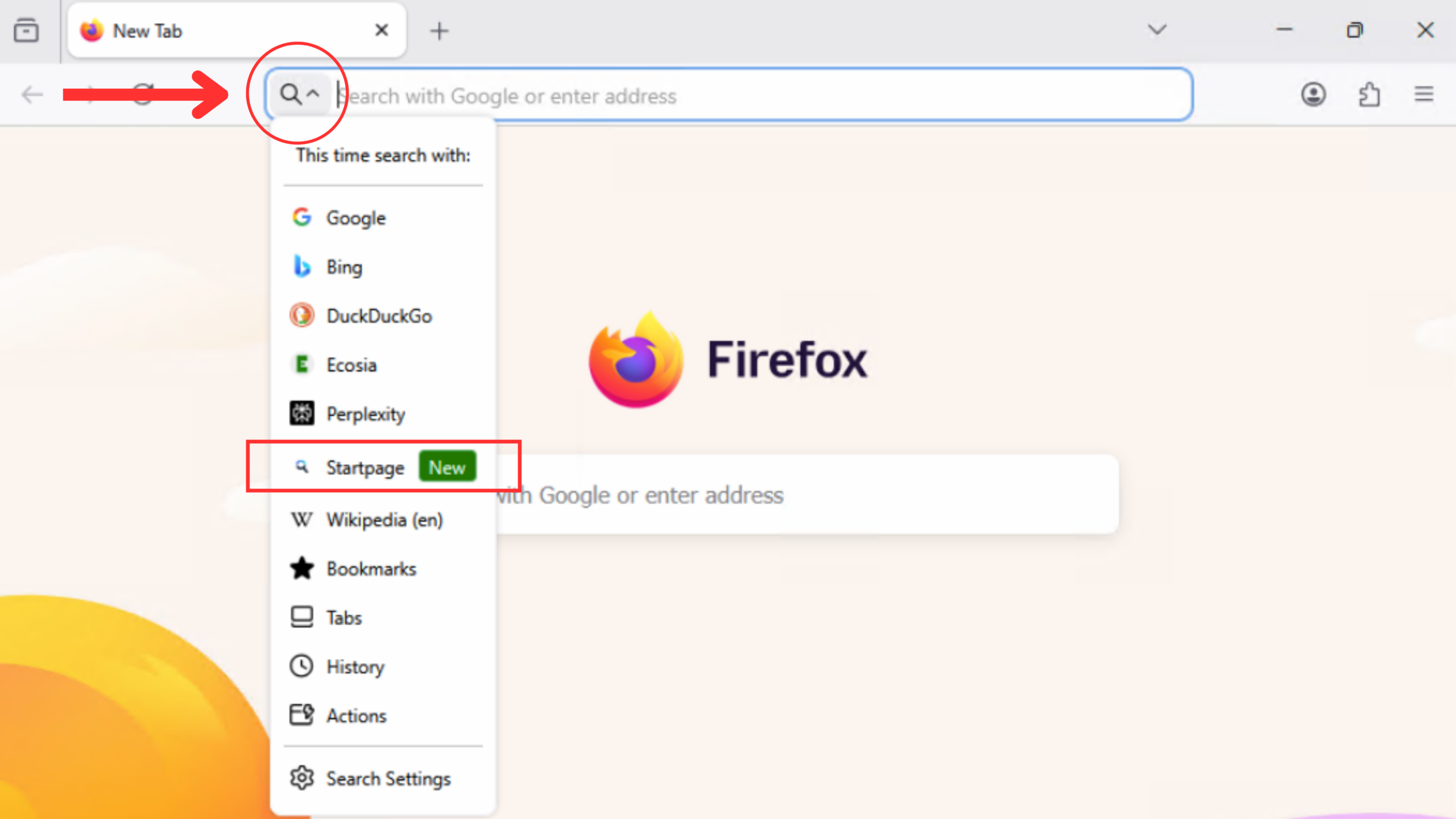
To select Startpage in Firefox, first update to Firefox 150 or later. Then open the search menu in the address bar (look for the magnifying glass) and select Startpage as your search engine.
You asked. Firefox listened. And so did we.
Today, Firefox is piloting Startpage as a native private search option in select European markets—a direct response to the Mozilla Connect community, where over 1,200 of you asked for exactly this.
Firefox users already send over a billion searches a year through Startpage. This pilot makes that path seamless.
Where Startpage x Firefox is available
The pilot is live for select users in Germany, France, the Netherlands, Austria, and Switzerland on Firefox 150 or later.
How to select Startpage
- Update to Firefox 150 or later.
- Open the search menu in the address bar (look for the magnifying glass).
- Select Startpage as your search engine.
That’s it. No account. No setup beyond that.
How Startpage protects your privacy
Startpage acts as a privacy layer between you and the web.
- No Profiling: Personally identifying information—including your IP address—is removed before your search is ever processed.
- No Logs: Results are returned without building a personal profile or logging your queries.
- Anonymous View: This unique feature lets you open search results through our proprietary proxy so the websites you visit can’t see your IP address.
Share your thoughts
If you’re in a pilot region, the best way to support this integration is to use it. Your engagement directly influences the next steps. Have feedback? Share it on Mozilla Connect — your voice drives what comes next.
Was this article helpful?


Share Article